Your assigned coursework may contain workbooks to enhance your learning experience. To access a course workbook, login to Sandler Online.
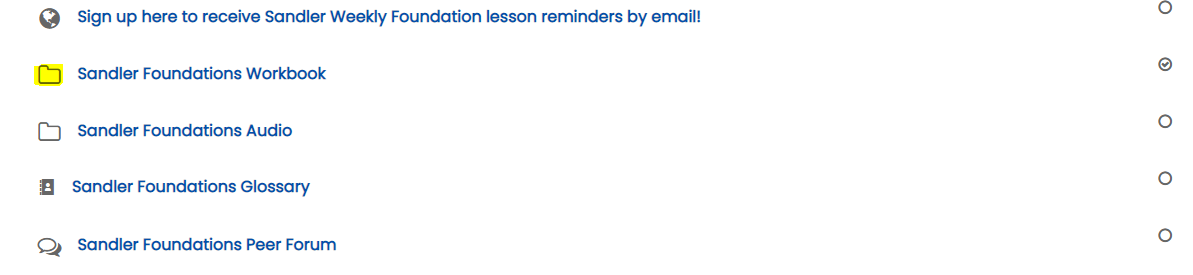
Step 1. On your Dashboard, under My Training, click on a course. Scroll to locate the Workbook. Here is an example of the Foundations workbook toward the beginning of the course.
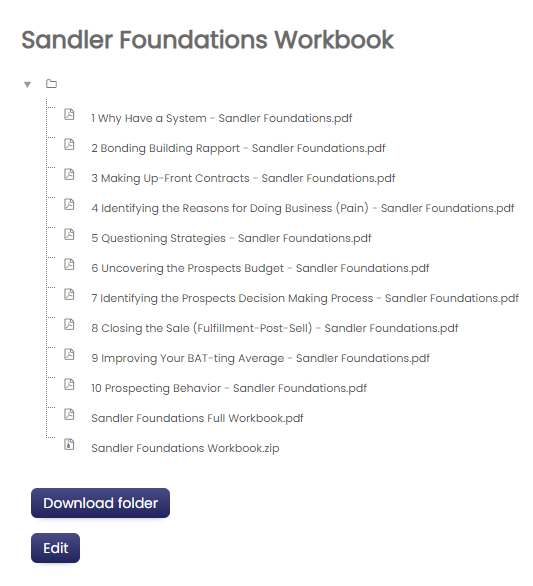
Step 2. Click on the Workbook to access the contents. In the example below, the Workbook contains multiple PDF documents in numbered order. Notice the final items is the complete Workbook in PDF and .zip format. This allows the user to download all the materials at once.
Workbook FAQ's
Do all courses have workbooks?
No, workbooks are specific to the course.
Can I print a workbook?
Workbooks are not printable. The workbooks are password protected to ensure printing and editing of the PDF are prohibited.
Can I save my notes in the workbooks?
Yes. To ensure that you save your notes correctly, download and open the workbook in Adobe Acrobat Reader (not your browser or another app). Adobe is free and available on the Adobe website.
Comments
0 comments
Please sign in to leave a comment.