Reset Password
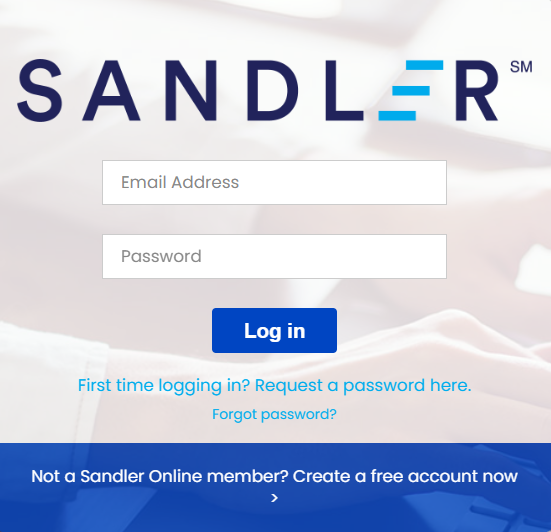
Step 1. Go to Sandler homepage at Learn.Sandler.com Click the link Forgot Password?
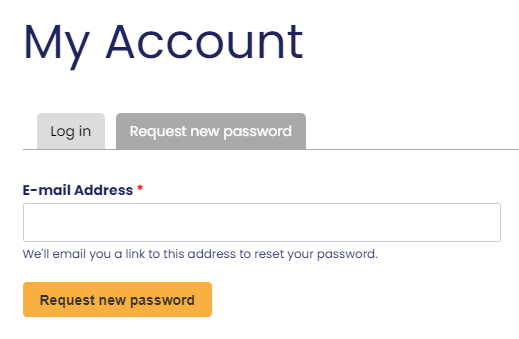
Step 2. Enter your email address in the field and select Request New Password.
The following message will appear:

Step 3. Check your email for a link to reset your password. This will come from no-reply@sandler.com.
Follow the link in the email to reset your password.
Troubleshooting Tips:
- Check your junk, spam and clutter folders. Whitelist(allow) the following email addresses from Sandler in your security settings: noreply@sandler.com and no-reply@sandler.com
- If employed by a large company, you may need to reach out to an internal IT Engineer and request the above addresses added to the company safe senders list. This will prevent future communication from being blocked by the company firewall.
- If you still can’t locate the email, reach out to your portal administrator to confirm the email you are entering to access the platform is the same email address associated with your account.
Comments
0 comments
Please sign in to leave a comment.