Step 1.
- Log into the LMS by going to Learn.Sandler.com
- Click on Sandler Online Administration.
- Go to Sandler Online menu and click Organization List.
- Search for Organization and click to access account.
Step 2. Locate Course for enrollment. Click View Participants. Then, go to Manage My courses.
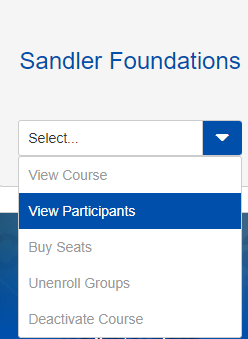
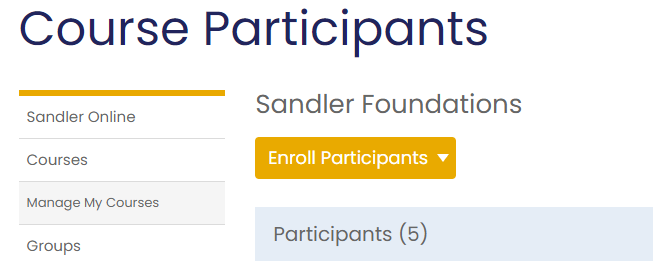
Click the Enroll Participants button.
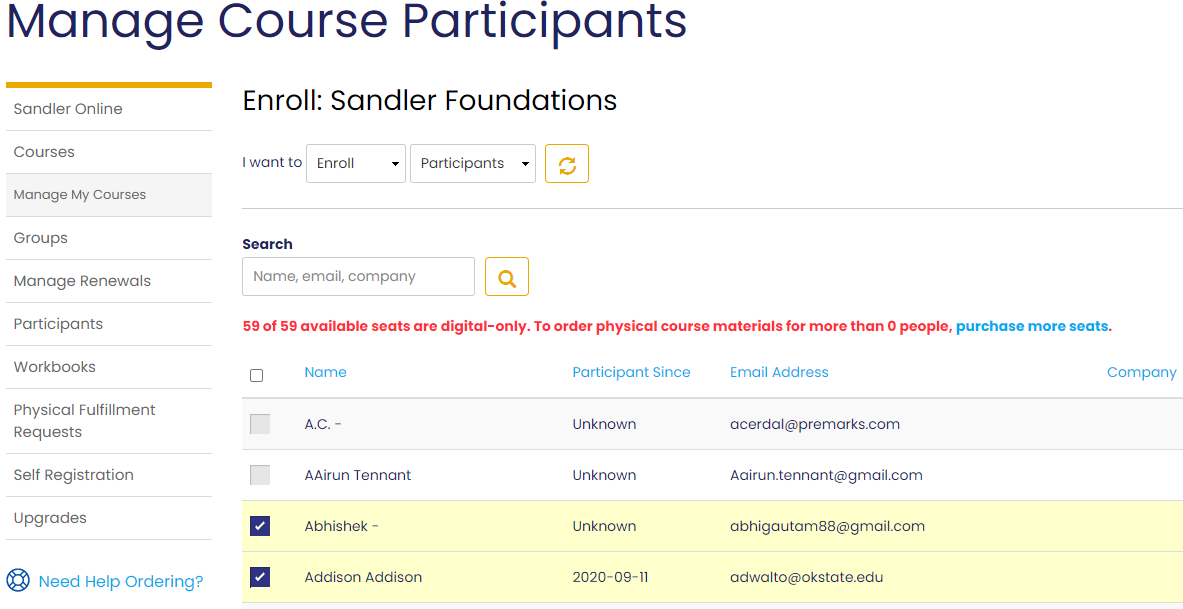
Tip: use the search function to locate a specific user.

Step 3. Select the participant/participants and click Enroll Participants.
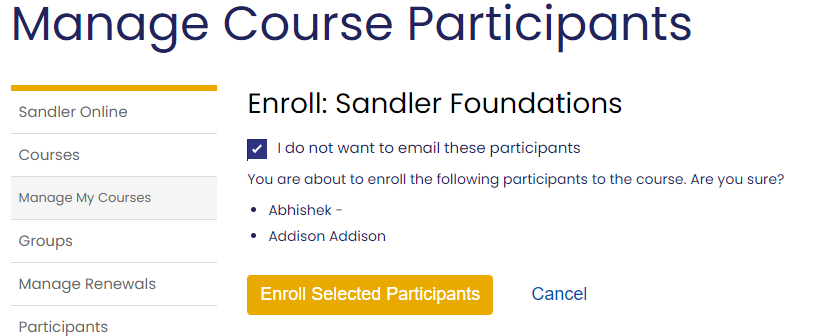
Step 4. Click the Enroll Selected Participants button. You will be taken to a screen to confirm the process. The Enroll on date will enter the current date. Edit if desired. Click Cancel to exit.
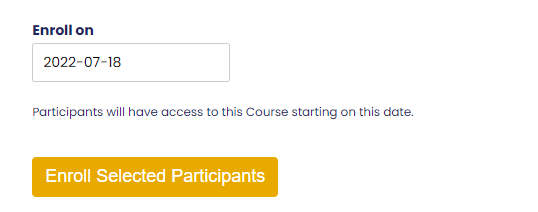
Step 5. Uncheck the email participant's box. click the Enroll Selected Participants button to complete the enrollment.
Comments
0 comments
Please sign in to leave a comment.