Step 1.
- Log into the LMS by going to Learn.Sandler.com
- Click on Sandler Online Administration.
- Go to Sandler Online menu and click Organization List.
- Search for Organization and click to access account.
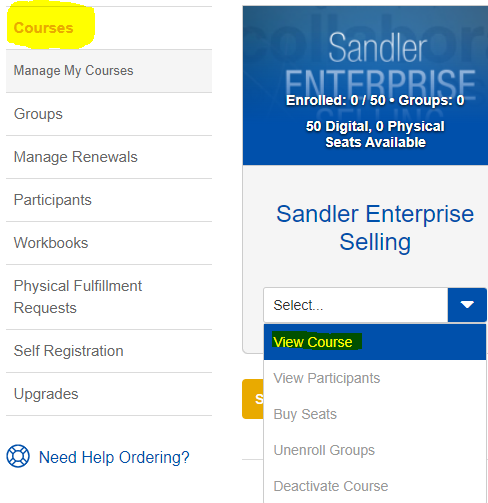
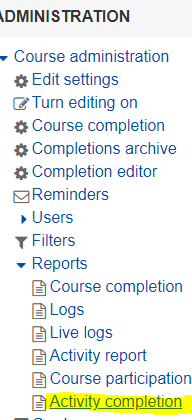
Step 2. Go to Courses (left menu) and locate the course. Click on the dropdown arrow and select View Course. Next, go to the Administration tab on the right and click Reports. Navigate to Activity Completion.
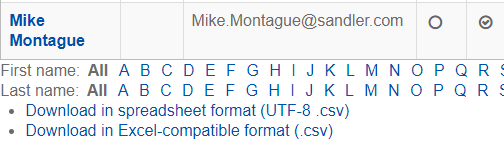
Step 3. Select Group by clicking the Separate Groups dropdown. Filter by letter (first or last name).

Comments
0 comments
Please sign in to leave a comment.