Step 1.
- Log into the LMS by going to Learn.Sandler.com
- Click on Sandler Online Administration.
- Go to Sandler Online menu and click Organization List.
- Search for Organization and click to access account.
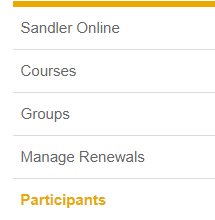
Step 2. Locate the Participants (menu on left) and click Edit.

Step 3. Scroll down and click Send Password Reset. Two options will display:
Option 1 Send Password Reset: Sends email to user prompting them to reset their password.
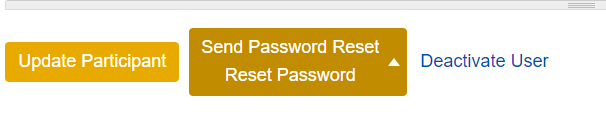

Option 2 Reset Password: Issues temporary password which expires in 24 hours. Copy and paste the text manually and send to the participant from personal email.
Comments
0 comments
Please sign in to leave a comment.