Step 1.
- Log into the LMS by going to Learn.Sandler.com
- Click on Sandler Online Administration.
- Go to Sandler Online menu and click Organization List.
- Search for Organization and click to access account.
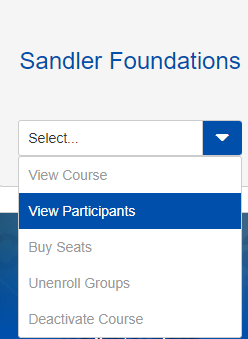
Step 2. Locate Course containing participant for enrollment. Click View Participants. Click the drop down arrow to show options and select Unenroll Participants link.
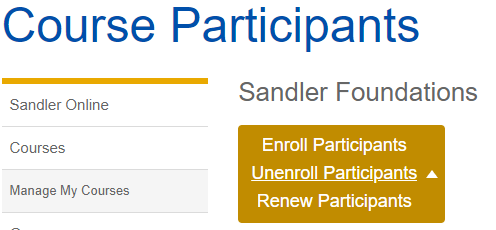
Step 3. Confirm Unenroll Participants is selected. Check box next to participant(s) name.

Step 4. Click the Unenroll Selected Participants button. You will be taken to a screen to confirm the process. Click Cancel to exit.

FAQ's
I have participants in my portal and I do not want to be charged for all these seats. Can you remove them?
You should not remove old clients. You can let them expire if they are currently enrolled in a program. This will allow them access to the free marketing SELL course and encourage them to re-engage with the trainer.
Comments
0 comments
Please sign in to leave a comment.