Step 1.
- Log in to the LMS by going to Learn.Sandler.com.
- Click on Sandler Online Administration.
Step 2. Select Courses (on left). Locate course and from the drop down menu, select Deactivate Course.

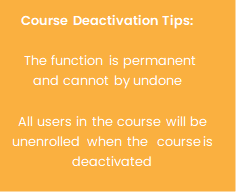
Step 3. Click the orange Deactivate button.

Step 4. Course deactivation is queued for processing.

Need more help? Check out the quick video example of the process. https://share.vidyard.com/watch/2pMv5aTLTf6Uj5VpFmkSb5?
Still have a question? Send a message via the Sandler Online Chat Icon or email us at courseware@sandler.com
Comments
0 comments
Please sign in to leave a comment.